Warehouse management for 3PLs
The 3PL warehouse, from dock door to invoice.
Velocity 360 is a cloud warehouse management system for third-party logistics. Receive, store, pick, pack, ship, build and bill for every client in one system, with a portal for each client and handhelds that keep working without signal.
Now taking on our first warehouses.
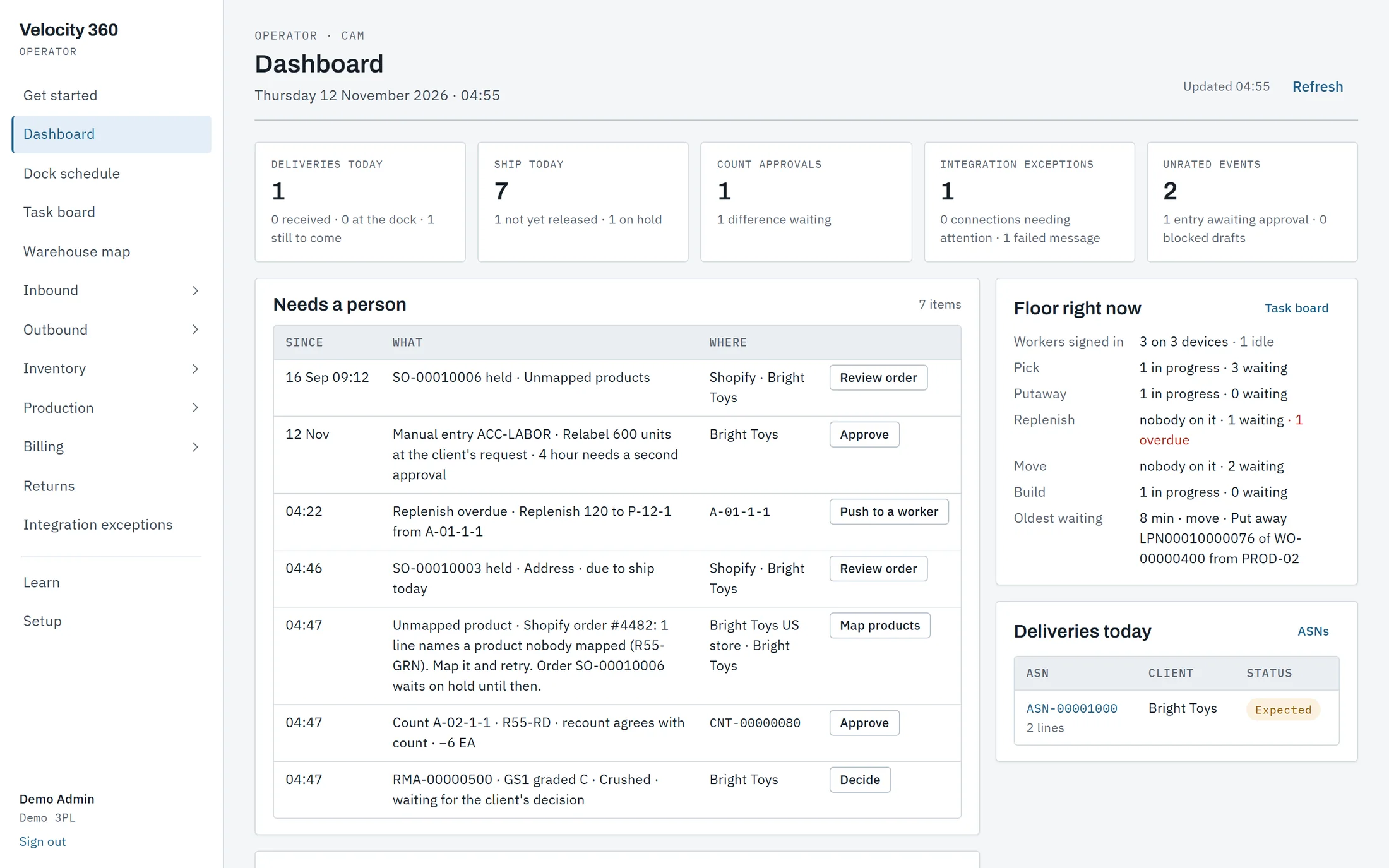

Four ways in
Operator app
For the office and supervisors: orders, the dock schedule, stock, billing and setup, in a browser.
Handheld
For the floor: receive, put away, pick, count and build by scanning, with or without signal.
Client portal
For each client: their own stock, orders, ASNs, decisions and invoices, and nothing else.
API and webhooks
For the client's systems: a REST API with a key per client, and signed events.
A general WMS runs one company's stock. A 3PL runs dozens.
Velocity 360 was designed from the first table around the three things that make a 3PL a 3PL.
Each client's stock stays theirs
Every pallet, lot and order belongs to a client. Their own receiving rules, shelf-life limits and serial tracking apply to their items, and one client's stock is never picked for another's order.
Work becomes invoice lines by itself
Storage by the night, pallets received, orders shipped, dock time and returns are priced from each client's rate card as they happen. At month end the office reviews and issues.
A portal for every client
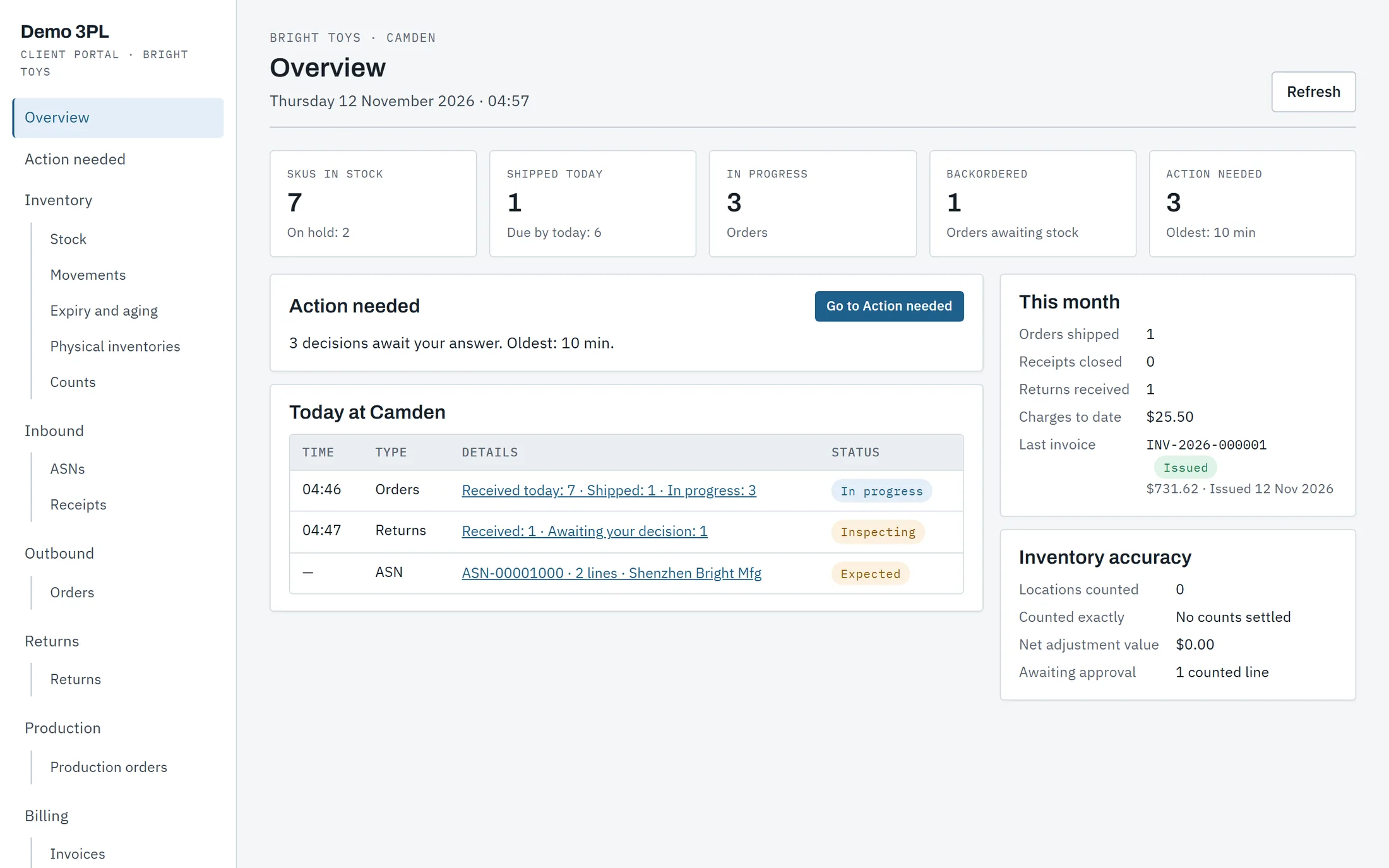
Clients send ASNs and orders, follow their stock and movements, decide what happens to surplus and short-dated stock, and read their invoices, without a call to the office.
Six steps, one ledger underneath.
Each step writes to the same inventory ledger, so what the floor did, what the client sees and what the office bills always agree.
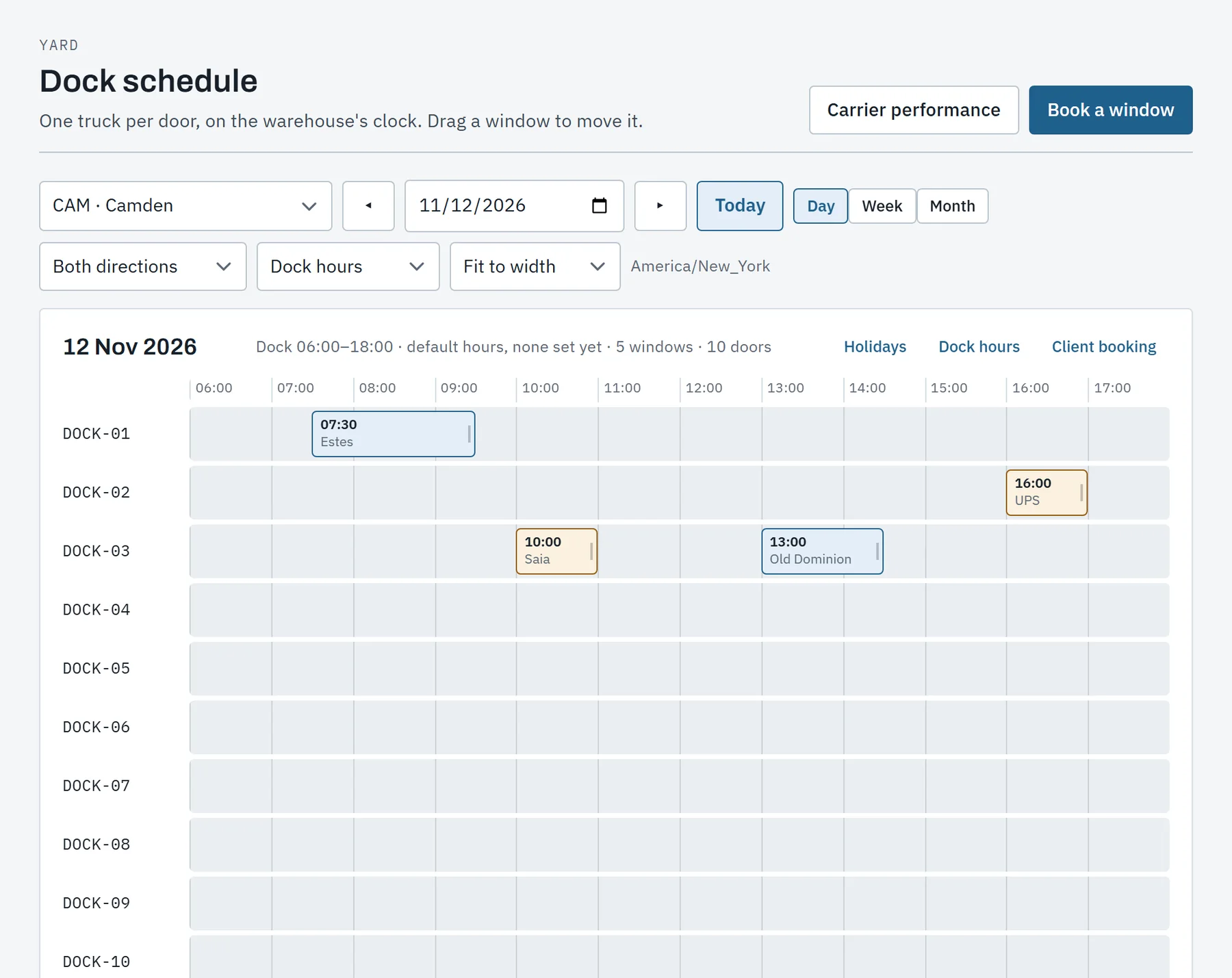
Know what is coming, and count what came.
Clients send ASNs from the portal, a spreadsheet or the API. Trucks are booked on the dock schedule, and receivers scan each pallet onto an LPN label with the handheld.
- ASNs with several POs, lots, expiry dates and serial numbers.
- A dock schedule by door, with arrival, dwell and each carrier's record.
- Surplus, short-dated and damaged stock held for the client's decision.
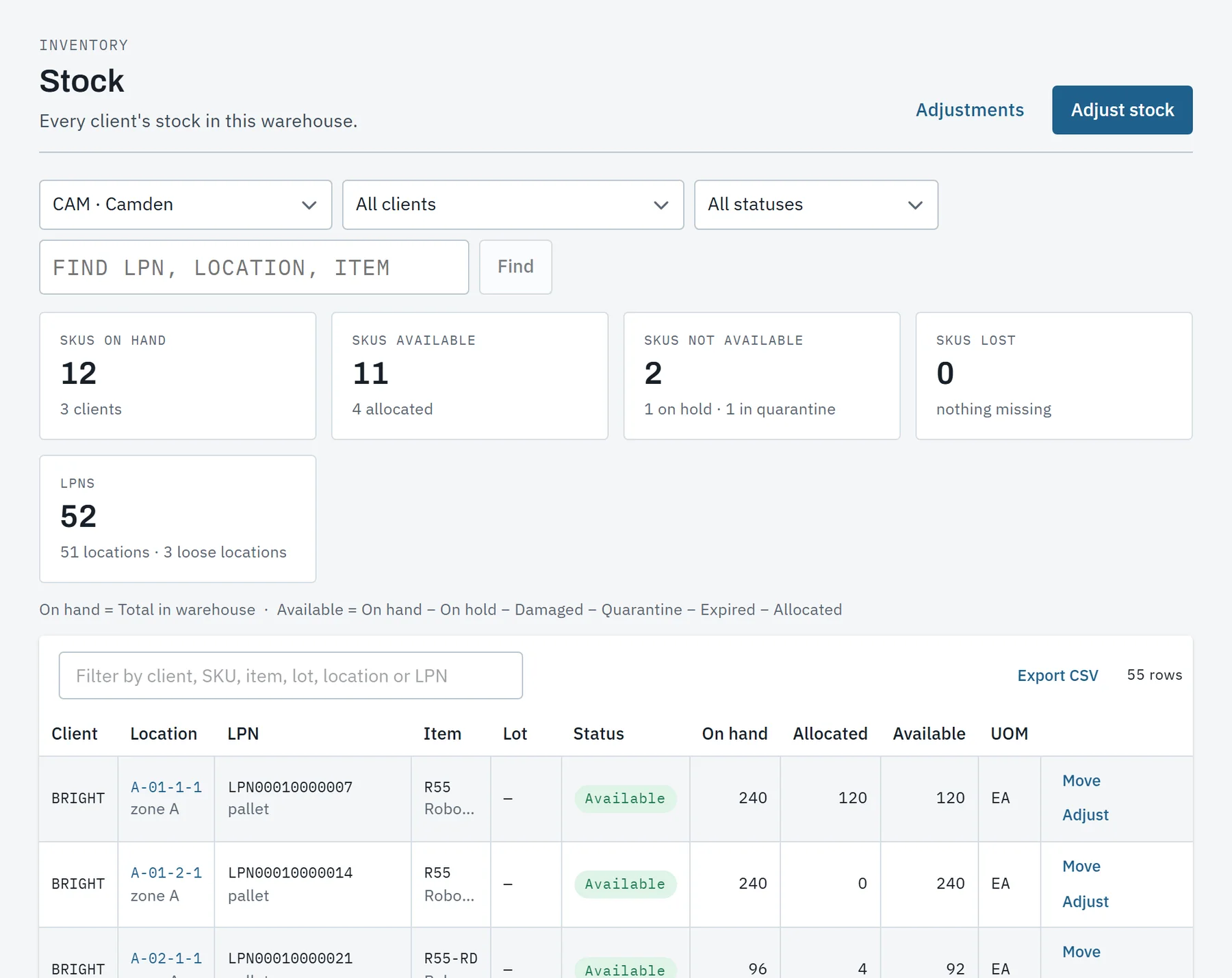
Every pallet has a place, and every move a record.
Putaway follows the warehouse's own rules and never overfills a location. Stock is one ledger: each movement is a permanent row, and balances always agree with it.
- Putaway rules, pick faces and replenishment on four triggers.
- Lots, expiry, serial numbers and holds, with adjustments approved by a second person.
- Cycle counts with blind recounts, and a physical inventory report.
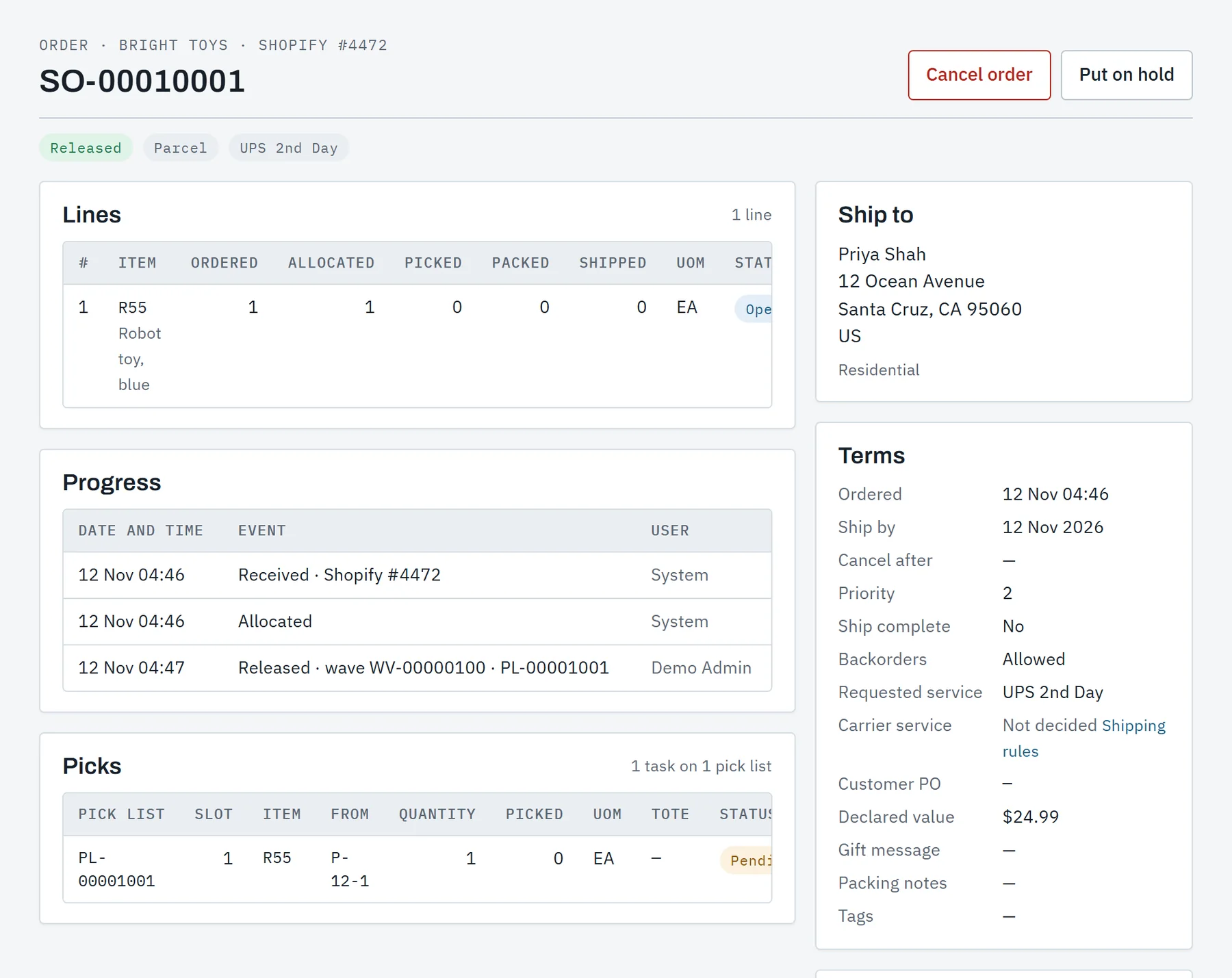
Orders in, boxes out, tracking back.
Orders arrive from the portal, a spreadsheet, the API or a store. Waves release pick lists to the handhelds, and the pack station checks every unit by scan before the box closes.
- Allocation by first expiry or first in, on a client's own rules.
- Packing slips in the client's name, bills of lading and carrier manifests.
- Shipping rules that choose the carrier and service for each order.
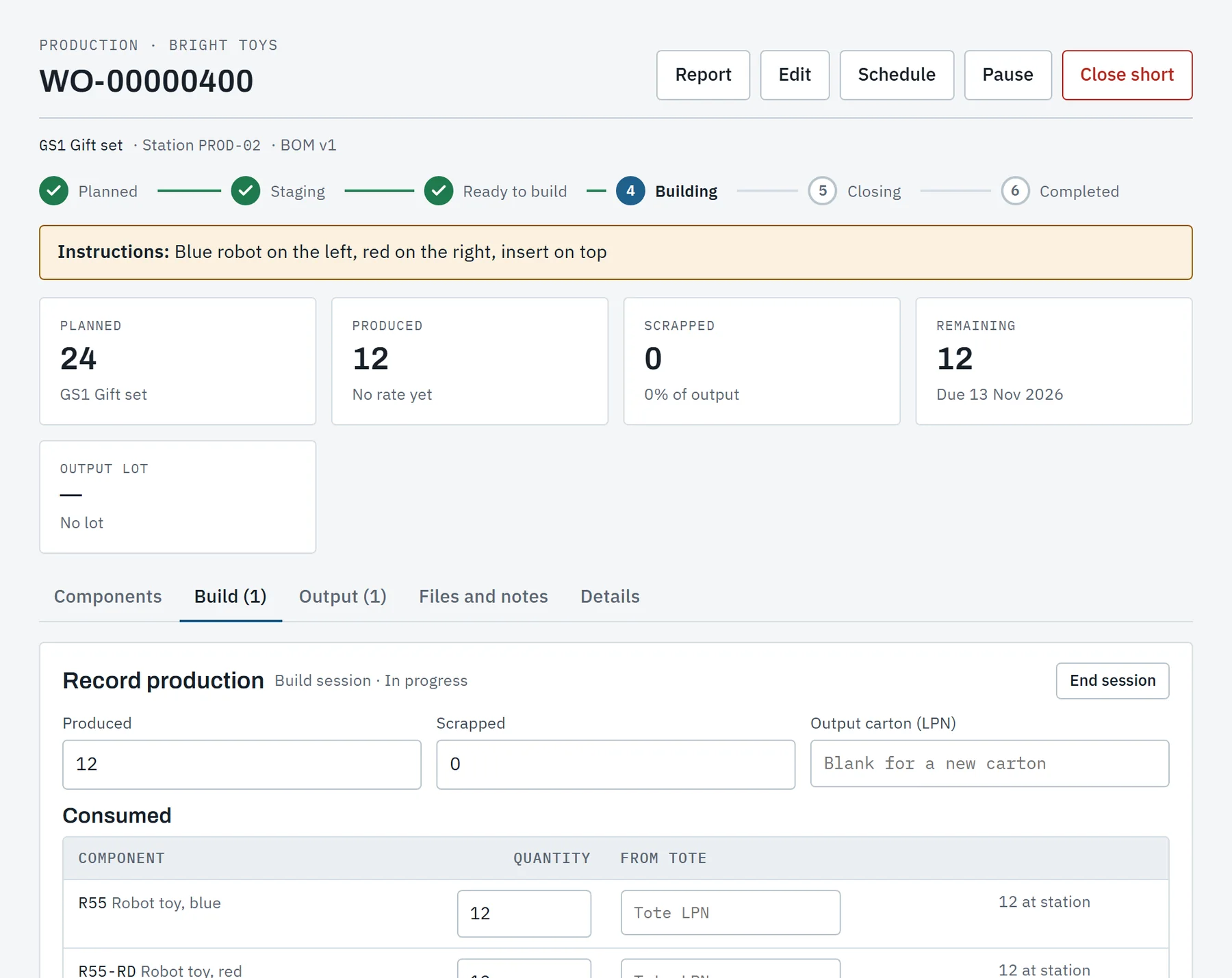
Kits and production runs, with their materials.
Bills of materials have versions. Work orders are staged from stock and built on the handheld, and each output lot traces back to the component lots that went into it.
- Kitting and production orders, planned in runs on a schedule.
- Material availability checked before a work order is released.
- Lot genealogy both ways, and a report for every work order.
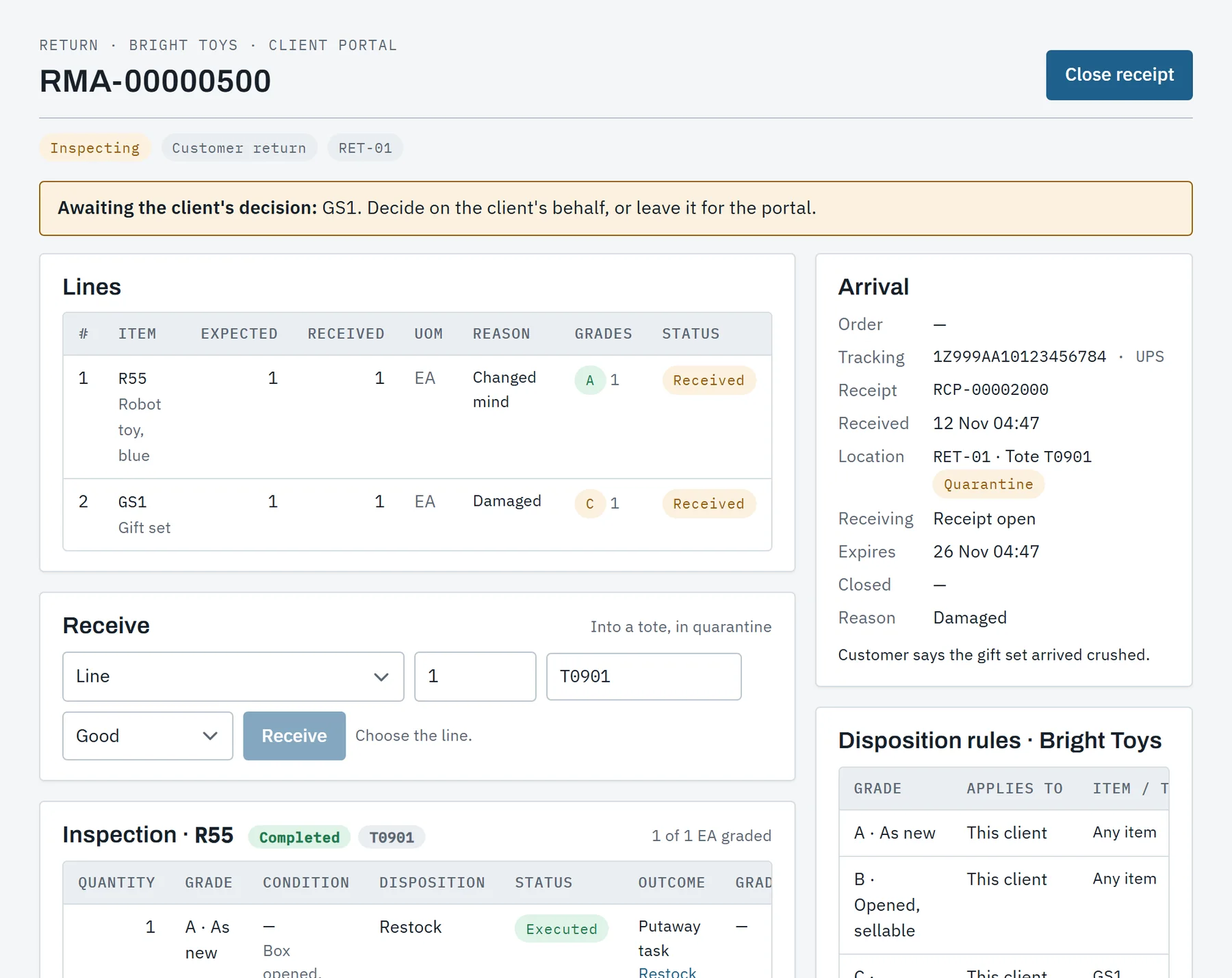
Returns received, graded and decided.
A returned parcel is found by RMA, tracking number or order, received into quarantine and graded at the bench with photos. The client's rules say what happens next.
- Disposition rules per client: restock, hold, refurbish, scrap or ship back.
- Grades that need the client wait for them in their portal.
- A returns report and a certificate of destruction.
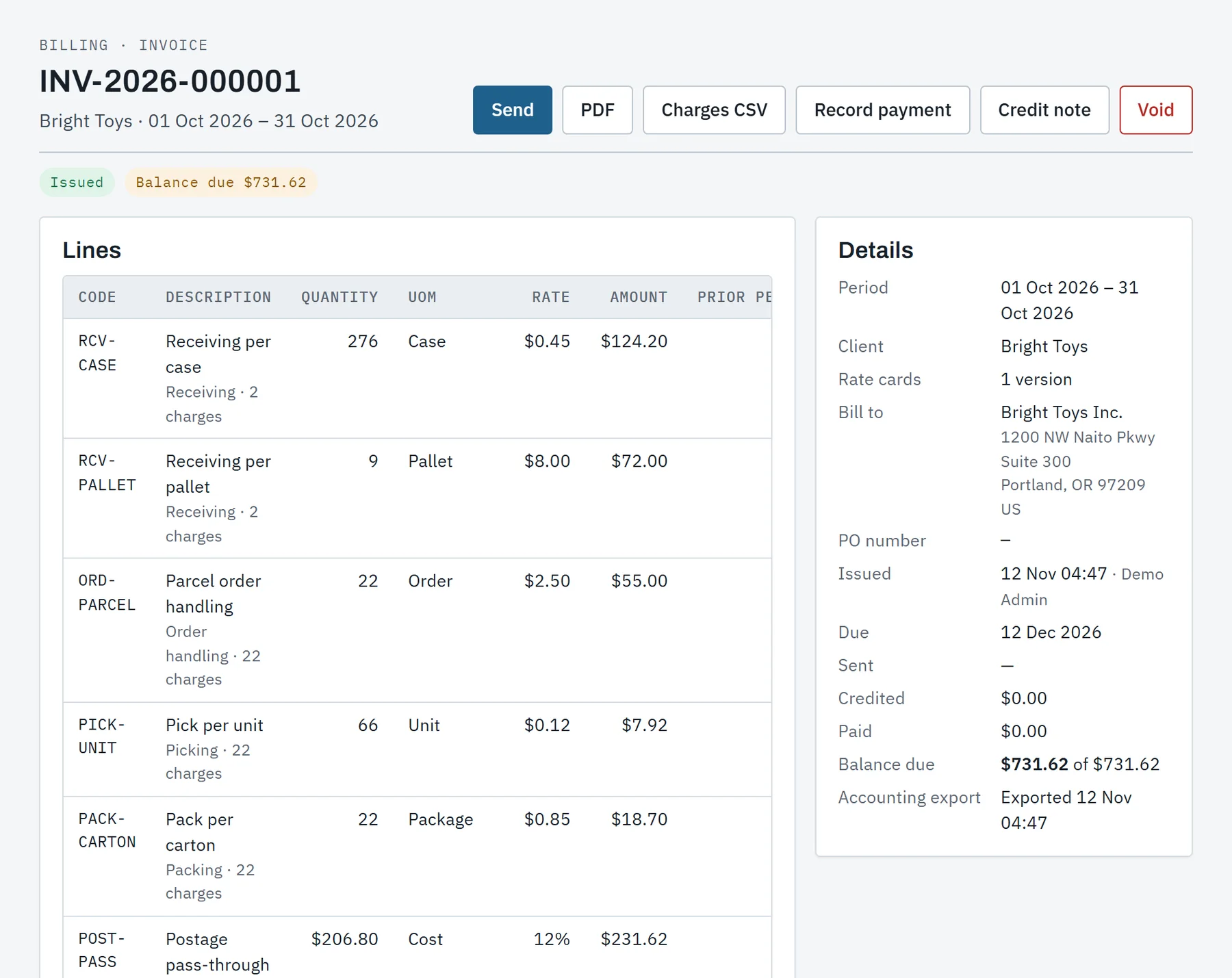
Every move priced from the client's rate card.
Storage is measured every night. Receiving, handling, shipping, dock time and services are rated as they happen, so a period closes into an invoice without a spreadsheet.
- Versioned rate cards with tiers, minimums and fixed fees.
- Invoices numbered without gaps, corrected by credit notes.
- Export files in QuickBooks Online, Xero and generic layouts.
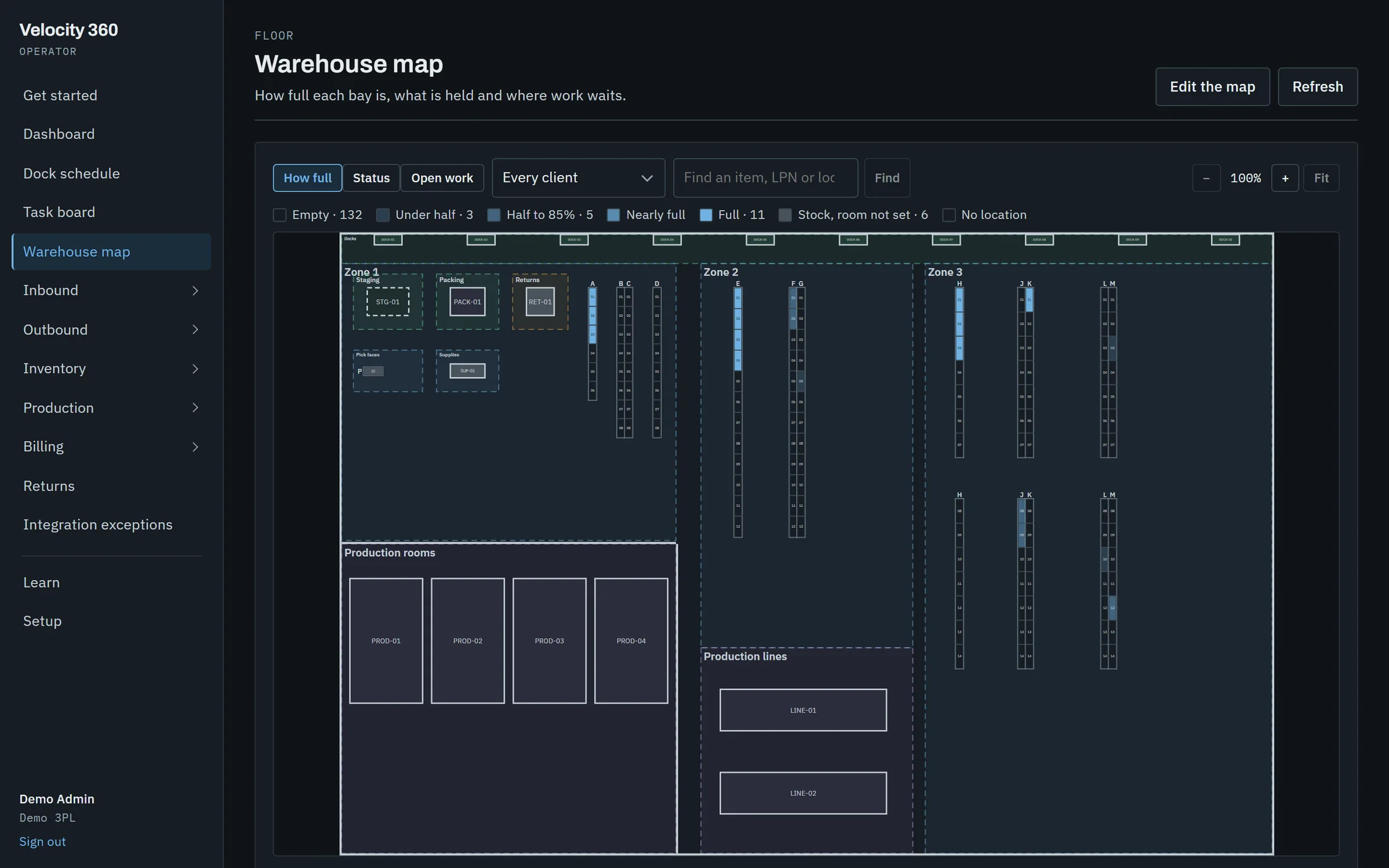
A live map of the floor.
Draw the building once: racks by aisle and bay, dock doors, staging and production. The map then shows how full each bay is, what is on hold and where work is waiting.
Linked by location code
A rack stands for every location coded by its aisle and bay. Nothing is entered twice, and a first draft is made from the locations.
Three views of one floor
How full, status and open work, for every client or for one. Find an item, an LPN or a location and see where it is.
On the handheld too
Putaway, pick, count and move tasks show the worker where to go, on a copy of the map kept on the device.
Handhelds that keep working in the dead spots.
Every warehouse has an aisle with no signal. Floor screens carry what they need to check a scan on the device, keep the work in a queue, and send it when signal returns.
- One task per screen. Receive, put away, pick, count, replenish, move, build and grade returns, each step a scan.
- Pallets start from a label. Blank LPN labels are printed ahead; a receiver sticks one on and scans it.
- One scan fills the line. GS1 case barcodes give product, lot, expiry and count at once.
- Nothing is counted twice. A queued write that arrives twice is recorded once.


Your clients answer their own questions.
Did my delivery arrive? How much is left? Where is that order? Each client signs in to their own portal and sees their own stock and nothing else.
- Send ASNs and orders one at a time, from a spreadsheet, or through the API.
- Answer what only they can: surplus and damaged stock, graded returns, unknown freight.
- Follow stock, movements and expiry, and download their own files.
- Read invoices and the period so far, and manage their own users, API keys and webhooks.
What connects today, said plainly.
Every connection below carries one of three labels, and a feature leaves its label only when it has earned the next one.
Client API
Orders, ASNs, items, inventory, returns and invoices over REST, with a key per client, scopes, rate limits and safe retries.
Webhooks
Signed events when an order ships, a delivery is received, stock changes or an invoice is issued.
Spreadsheets
Items, ASNs, orders, locations and opening stock from a file, checked whole before anything is saved.
Accounting export
Invoices and credit notes in QuickBooks Online, Xero and generic layouts, with a record of what has been handed over.
Shopify
Orders in, fulfilments and tracking back, sellable stock published and returns recorded. Stores connect once Shopify has reviewed the app.
Carrier labels
Rates and labels through ShipEngine and EasyPost at the pack station. Today a label bought in the carrier's own portal is scanned onto its box.
EDI
Inbound X12 856 and 943 become ASNs, and a 944 answers when the receipt closes. Outbound order sets are on the roadmap.
Email to clients
Deliveries received, orders shipped, returns, invoices and questions waiting, sent to the contacts who asked for them.
Label printing
Every label prints as a PDF from the browser today. Printing straight to Zebra printers through a print agent is in testing.
Live in steps. Trained in a training company.
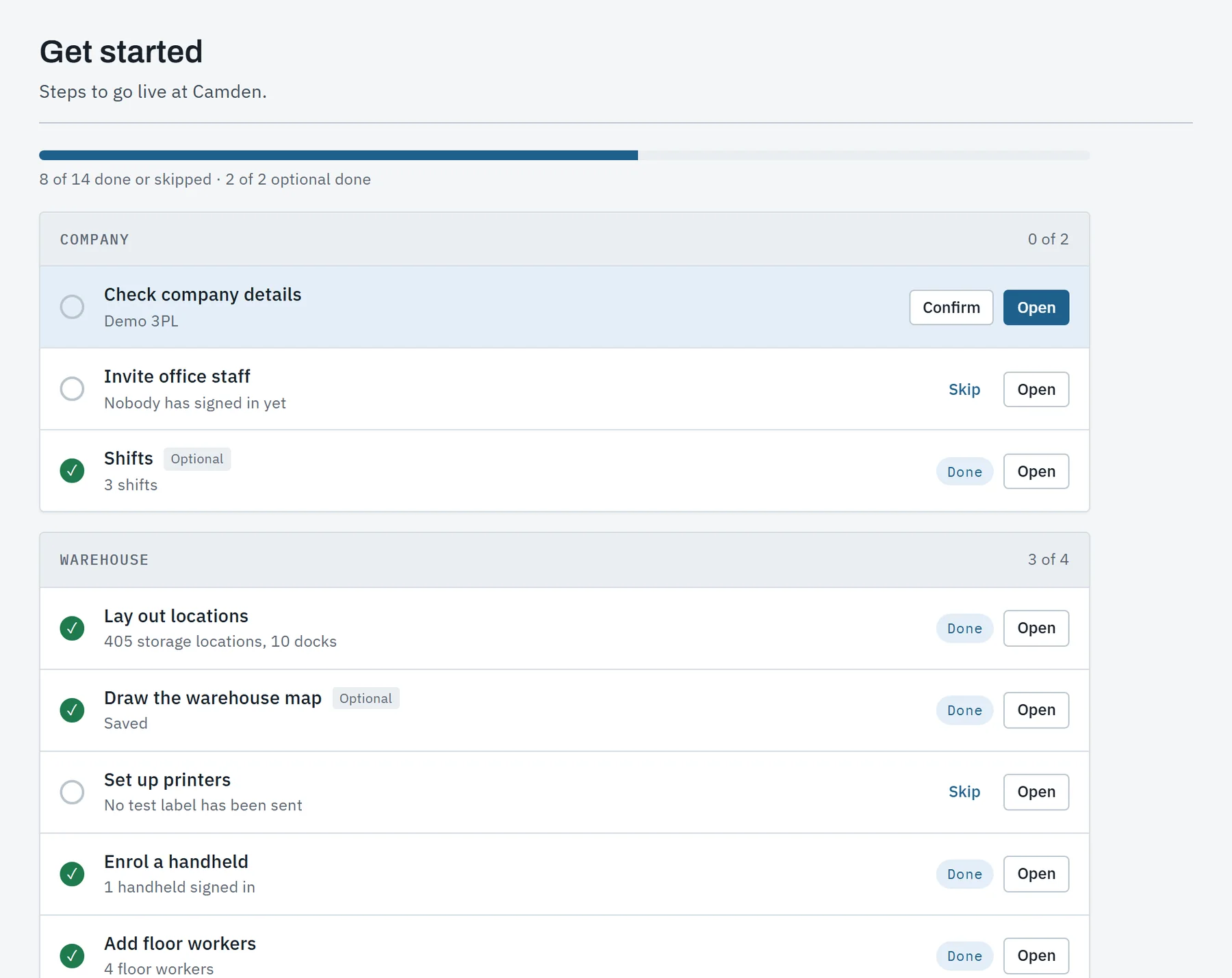
A new warehouse follows a short list of steps, each opening the screen that does it, with a go-live check at the end. Staff learn by doing the job in a training company, a copy where nothing leaves the platform.
- Get started works each step out from real data: locations laid out, items loaded, a handheld enrolled.
- More than 50 guided lessons for the office, the portal and a practice handheld.
- Locations from a pattern or a spreadsheet, items and opening stock from files.
- Roles and warehouses per person, and an audit log of every change to configuration.
What is not built yet.
We would rather show a short, honest list than a wall of logos. None of this is in the product today.
- RoadmapAmazonOrders in and stock levels out, as for a Shopify store.
- RoadmapDirect accounting syncInvoices posted to QuickBooks Online and Xero without a file in between.
- RoadmapOutbound EDIX12 940 and 945 for warehouse orders, 850 and 855, and the outbound 856.
- RoadmapGS1 shipping labelsSSCCs are assigned to pallets today; the GS1-128 label that prints them is next.
- RoadmapFreight rating and trackingLTL rates and booking through an API, and tracking events on shipments.
- RoadmapLabor standardsEngineered labor standards and task interleaving on the floor.
See it run a warehouse day.
A walk through the demo warehouse, from the dock schedule to the invoice, then your questions. We will say plainly what fits your operation today and what does not yet.
Tell us what you store and ship, how many clients you serve and what you run today.