Each client's own window on the warehouse.
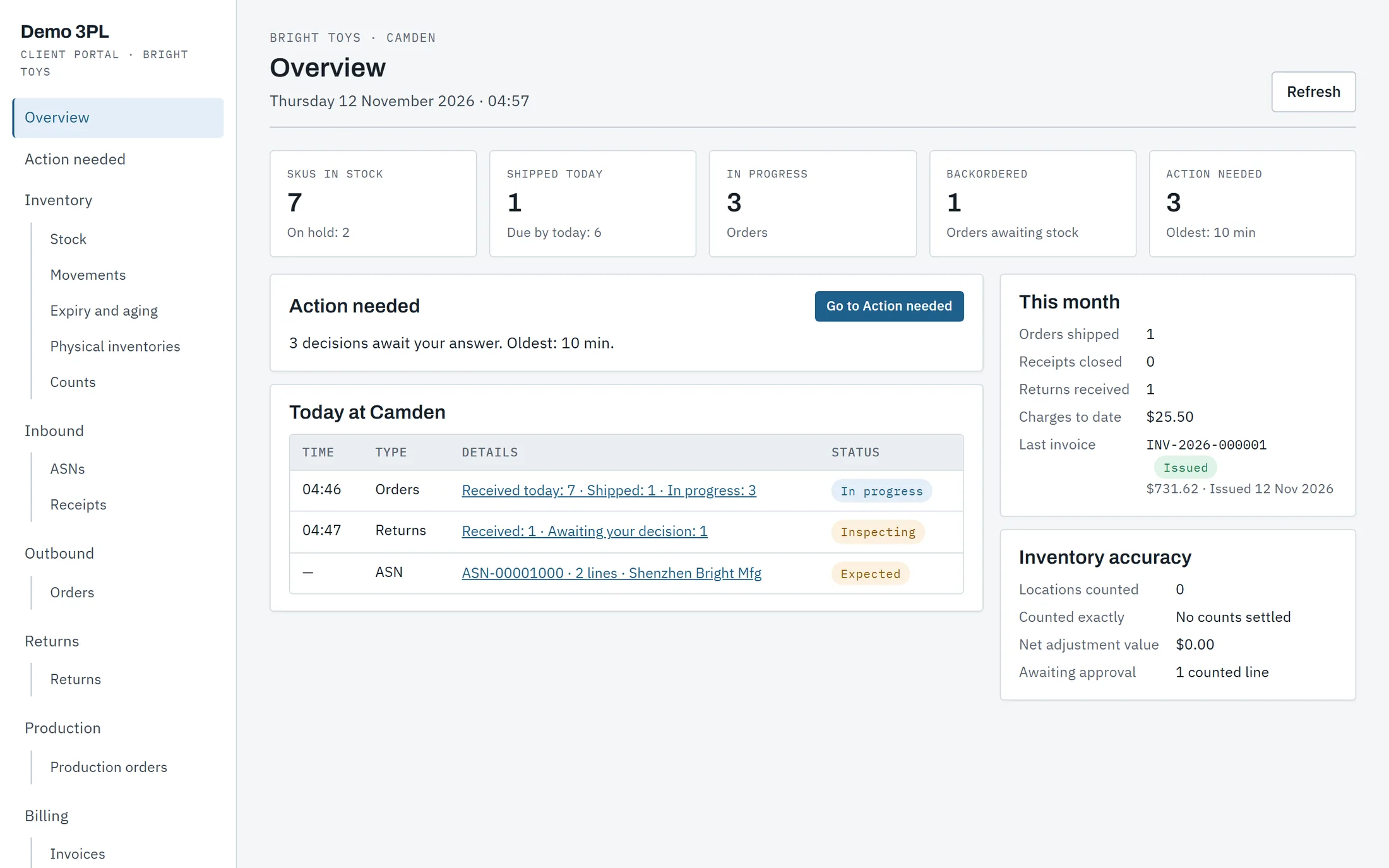
A 3PL's clients want to see their stock, send their orders and settle their questions without a call to the office. Each client signs in to a portal of their own, and it shows their stock and nothing else.
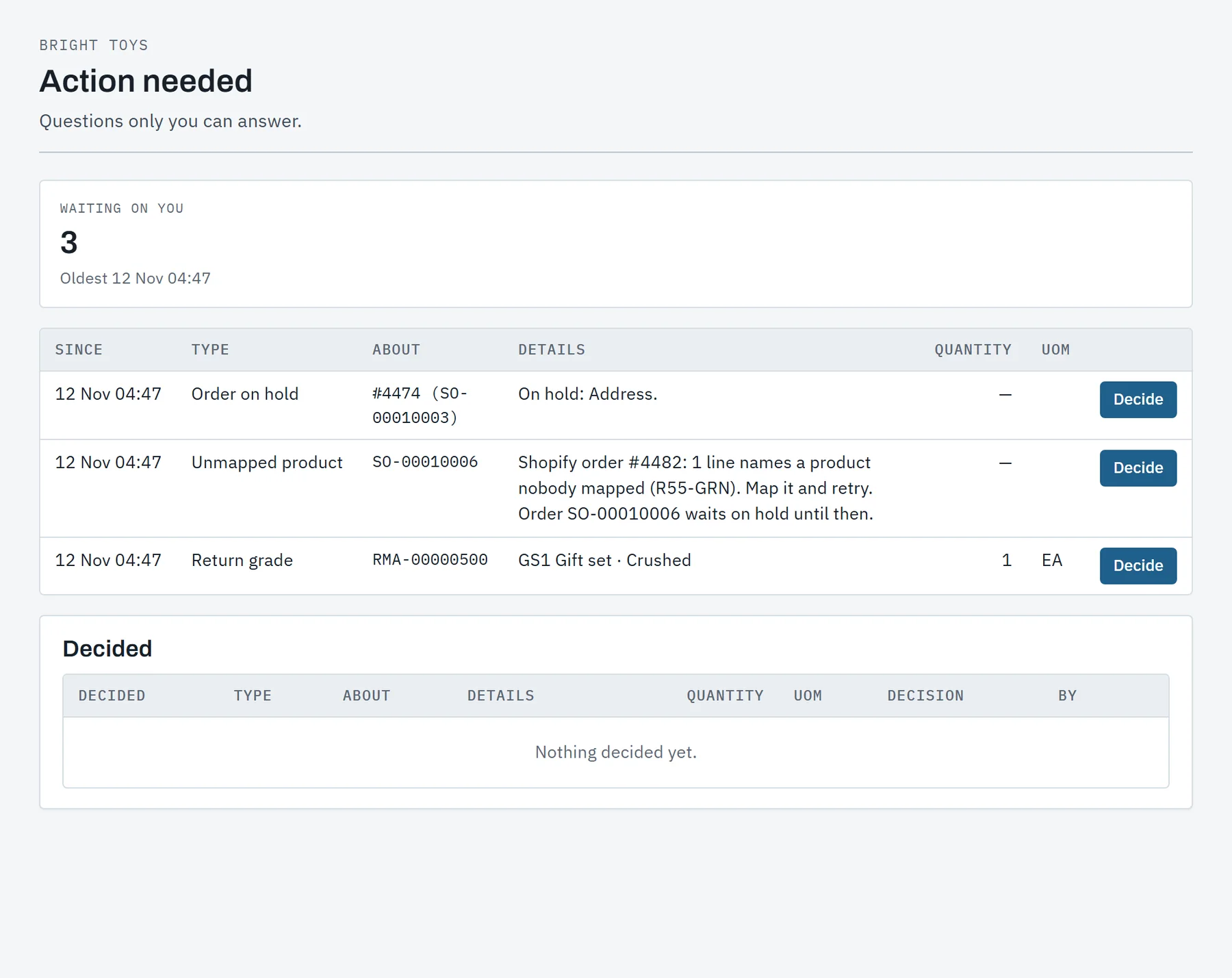
The questions only the client can answer.
Some decisions are the client's and nobody else's. They wait in one list, counted on the overview, and each is answered in a click with a note.
- Held stock: surplus over the ASN, short-dated lots and damaged freight, to keep, return to the vendor or dispose.
- Graded returns: the grade, the photos and the choices the client's rules leave open.
- Unknown freight: freight that arrived with nothing to say whose it is or what it is.
- Orders on hold: an address no carrier takes, or a store product nobody has mapped yet.
- Kit recipes: a new version of a bill of materials, where the client asked to approve them.
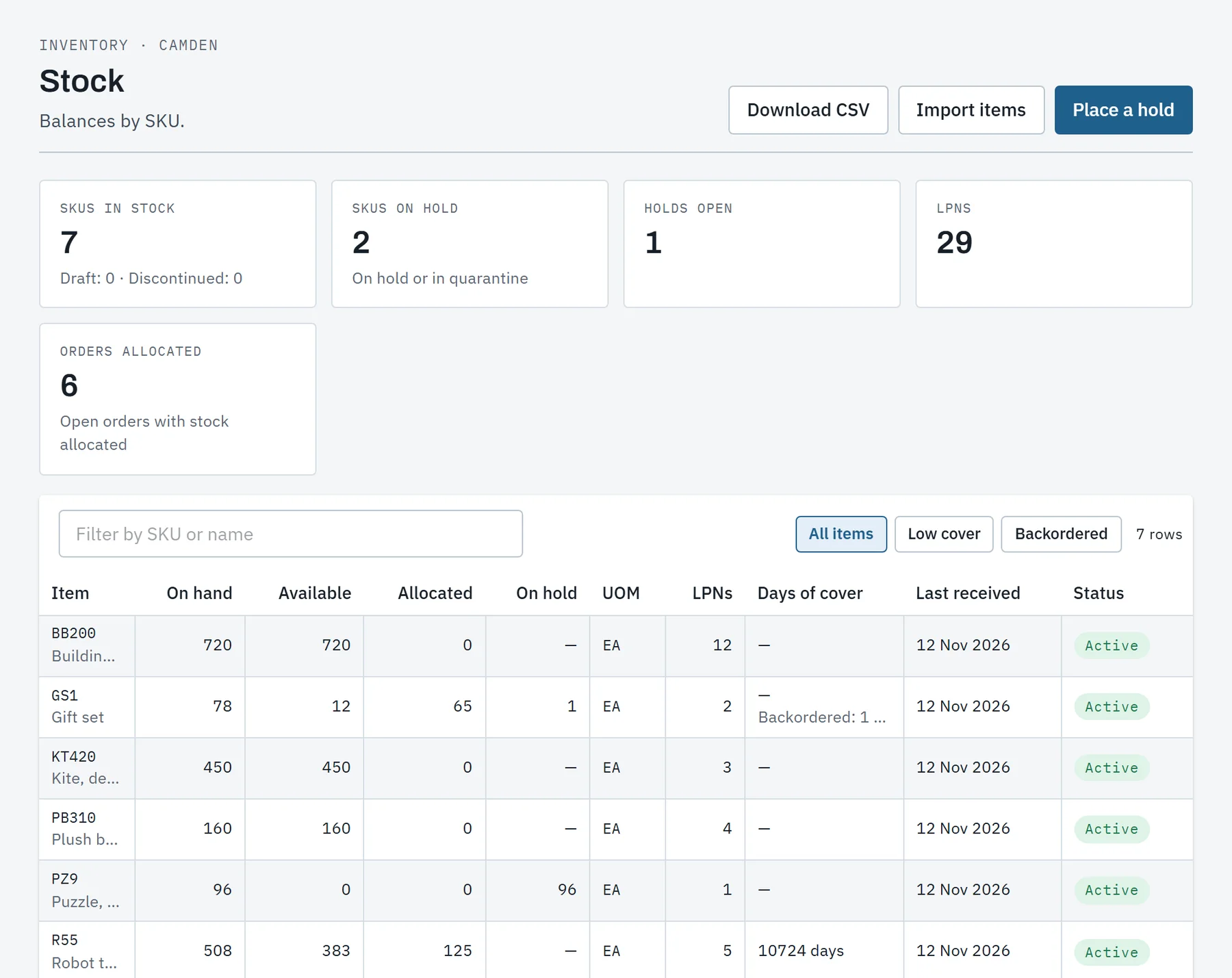
Stock, movements and expiry, as the ledger has them.
The client reads the same inventory ledger the warehouse works from, so what they see is what is on the shelf.
- Stock by SKU: on hand, available, allocated and on hold, with days of cover and low stock.
- Movements: every receipt, pick, adjustment and return of their stock.
- Expiry and aging: lots by days left, and stock by how long it has been stored.
- Holds and counts: the client places a hold, or asks for a count of their own items.
- Downloads: stock, movements, orders, shipments and ASNs as files, between two dates.
Work sent in, without an email to the office.
Everything the client sends is checked as it arrives, and they follow it to the end on the same page.
Orders
One at a time or a day's orders from a spreadsheet, checked whole. Lines and the ship-to change until the warehouse releases the order.
ASNs
What is coming and when, with POs, lots and serial numbers, from a form or a spreadsheet. The receiving report is a PDF.
Dock booking
Where the warehouse allows it, the client books a window for its ASN, or sends its carrier a link to book with no account.
Returns
A return authorized against an order, followed from the parcel's arrival to each unit's grade and what became of it.
Production orders
A build asked for by quantity and date. The client sees where it stands, what was built and the lots made.
StoresIn testing
A Shopify store connected by the client: orders in, tracking back, and the stock the warehouse can sell.
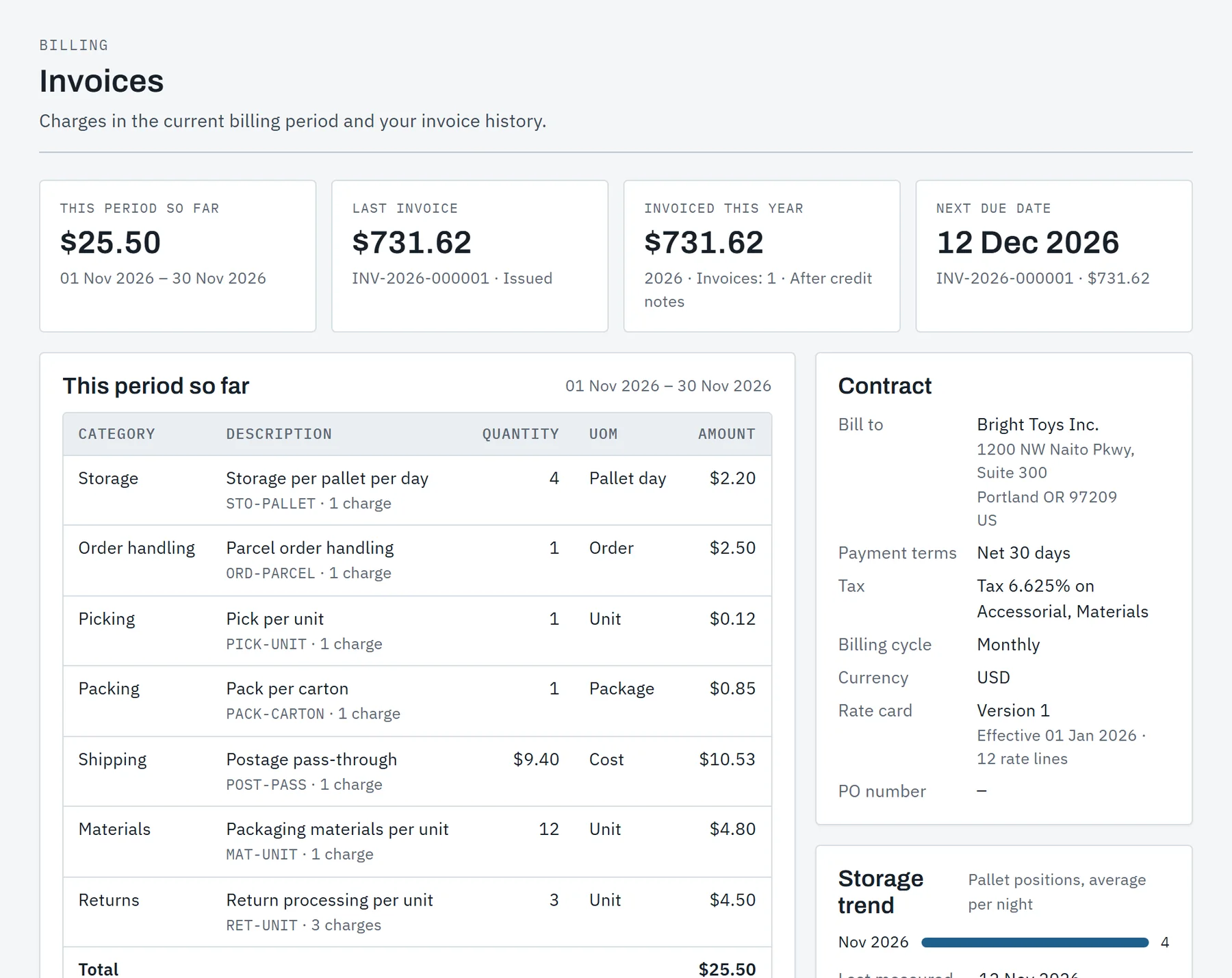
The invoice, and the period so far.
A client should never be surprised by an invoice. The portal shows what the current period has charged so far, on the rate card in force.
- This period so far: charges by category as the work is done.
- The contract: payment terms, billing cycle, tax and the rate card version in force.
- Invoices and credit notes: as a PDF and a CSV of every charge.
- Storage trend: pallet positions, volume or locations, in the unit the rate card bills.
Their own users, keys and webhooks.
The client's administrator manages the client's own access. The warehouse's office can do the same on the client's word.
- Users and roles: administrator, operator or viewer, invited by email.
- Contacts: who hears about deliveries, shipments, returns and questions waiting.
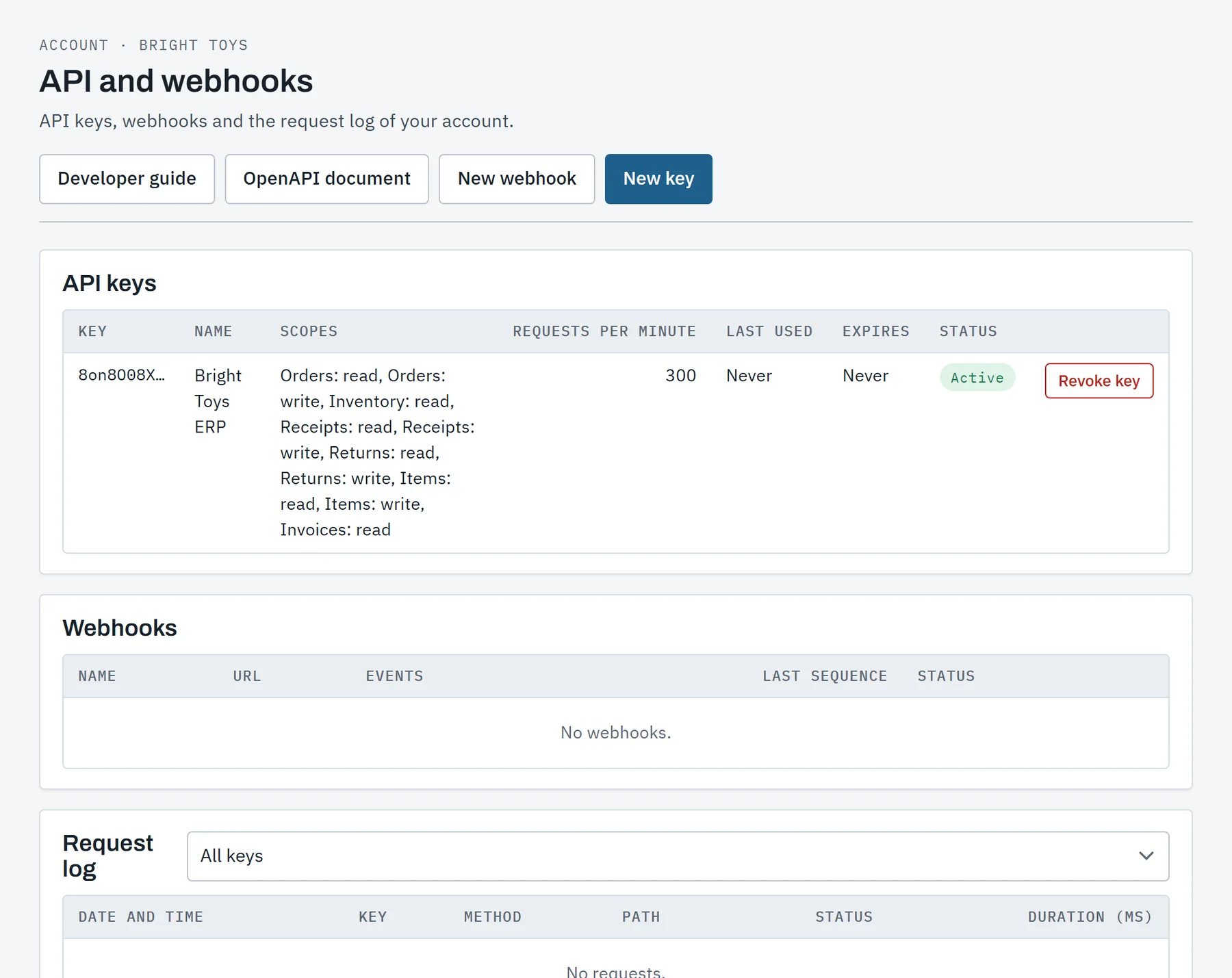
- API keys: issued with scopes, shown once and revoked in a click.
- Webhooks: an address, the events it takes and a signing secret.
- Request log: every API call their keys made, with its status.
Their data only
The client is taken from the sign-in, never from the request. A portal call cannot name another client.
Their own clock
Today and this month are the client's warehouse's, not the browser's.
What they should see
The portal shows what was billed and done, never the warehouse's costs or its staff.
Lessons for clients too
Guided lessons play in a training copy of the client, apart from real stock.
Show your clients their own portal.
A walk through the portal as one of the demo warehouse's clients, then your questions. We will say plainly what fits your operation today and what does not yet.
Tell us what you store and ship, how many clients you serve and what you run today.