Every part of the warehouse day.
Eight areas, one system. Everything on this page is in the product today unless it carries a label: In testing is built and being proven with live accounts, and Roadmap is not built yet.
Receiving that matches the freight.
From the ASN to the rack: what was expected, what came, where it went and what is waiting for the client to decide.
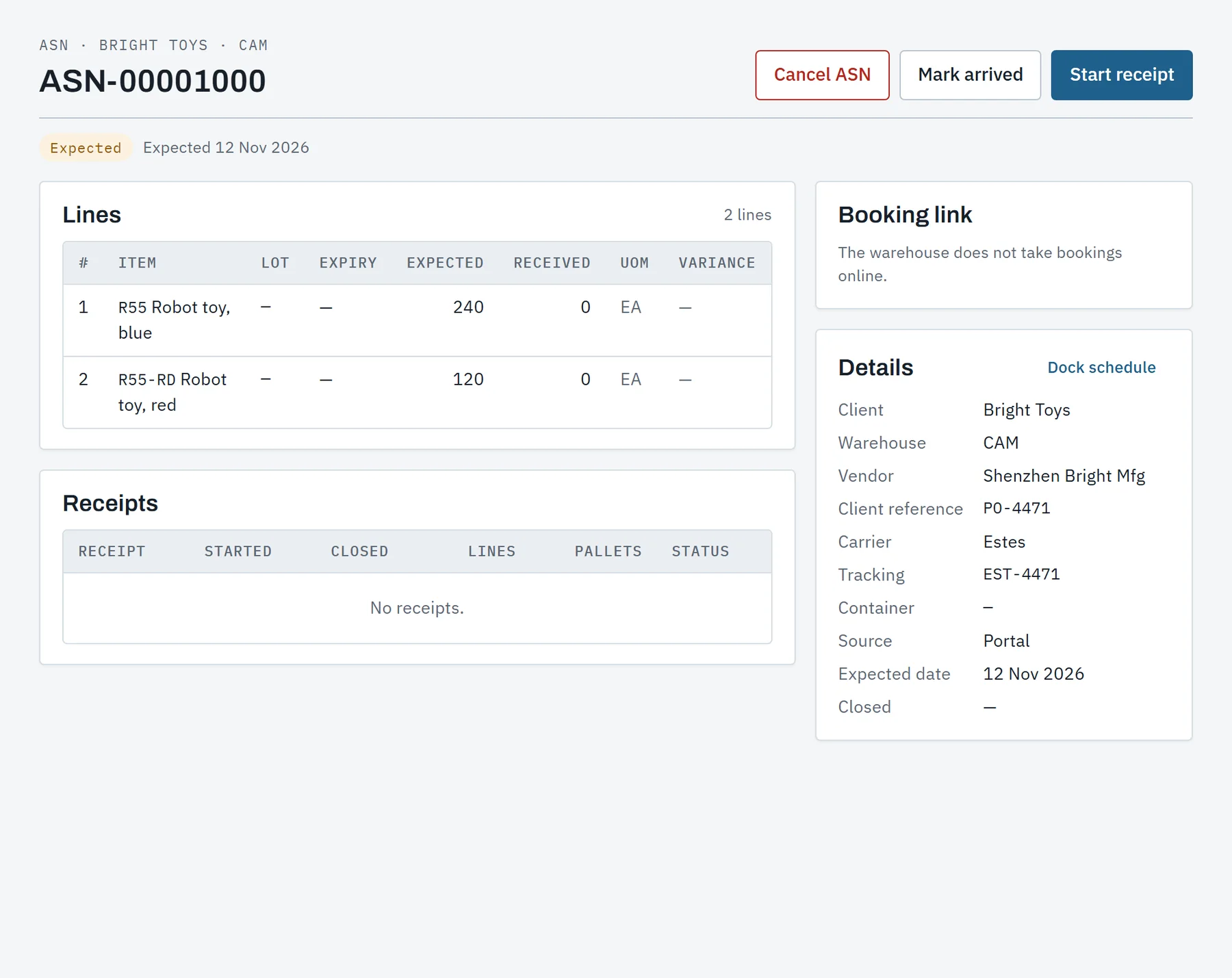
- ASNs from every sourceFrom the portal, a spreadsheet, the API or the office. One truck with several POs is one ASN, reconciled per PO.
- Dock scheduleWindows on doors in both directions, dragged between times and doors. Arrived, on the door and departed are stamped, so dwell is measured.
- Booking by the client or the carrierA client books its own window in the portal, or a carrier books with a link and no account, inside the warehouse's hours.
- LPN labelsBlank LPN labels are printed ahead. A receiver sticks one on a pallet and scans it, with or without signal.
- What the freight carriesGS1 case barcodes, vendor SKUs, lots, expiry dates and serial numbers. A declared pallet is received with one scan of its SSCC.
- Held for the clientSurplus over tolerance, short-dated and damaged stock wait for the client to keep, return to the vendor or dispose.
- PutawaySuggestions follow the warehouse's own order of rules, never past a location's pallets, weight or volume.
- Cross-dockA pallet an order is waiting for goes from the dock straight to outbound staging.
- Unknown freightFreight that cannot be received gets a numbered record with photos, and its owner is asked what it is.
- PaperworkA receiving report as a PDF, with the signed bill of lading and photos kept on the receipt.
- Carrier performanceNo-shows, lateness and time at the door for each carrier, on screen and as a file.
- Handwritten labels by photoIn testingA photo of a handwritten pallet label is read into the count, and the receiver checks every field.
One ledger, and a map of where it all is.
Stock changes only by a movement, and every movement is kept. The balances, the map and the client's portal all read the same ledger.
- Inventory ledgerEvery movement is a permanent row with who, where, when and why. Balances are proven against it every night.
- Stock and movementsEvery client's stock in a warehouse, filtered and exported, and the balance at any past date and time.
- Lots and expiryFirst-expiry picking, shelf-life limits per item or client, an expiry and aging report, and expired stock set aside each night.
- Serial numbersTracked from receipt through every move, or scanned once at packing, per item.
- HoldsBy item, lot, pallet or location, from the office or the handheld. An item or lot hold catches what arrives later.
- AdjustmentsAn increase or a decrease with a reason code. Above the client's threshold a second person approves.
- Cycle countsBlind counts, a recount by a different worker and a supervisor's approval. Standing plans count by velocity class.
- Physical inventoryZones are frozen while they are counted, and each client gets a report of their own.
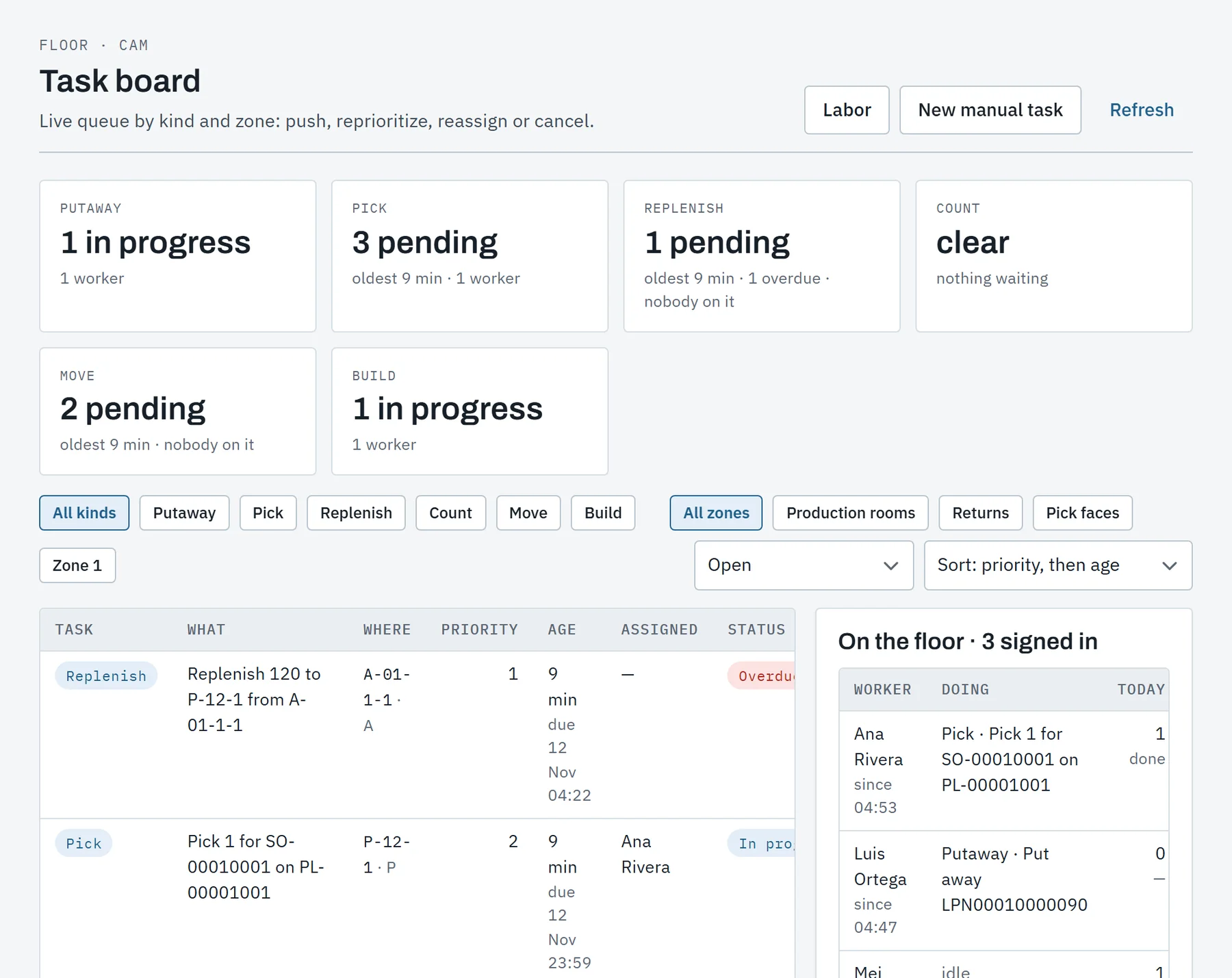
- ReplenishmentPick faces topped up on min and max, by demand from orders, after a wave, and urgently on a short pick.
- Pallet toolsMove units, put cartons on a pallet, take them off, or empty one pallet onto another.
- Data exceptionsA number that looks wrong is asked about where it is typed, and a nightly sweep lists the rest.
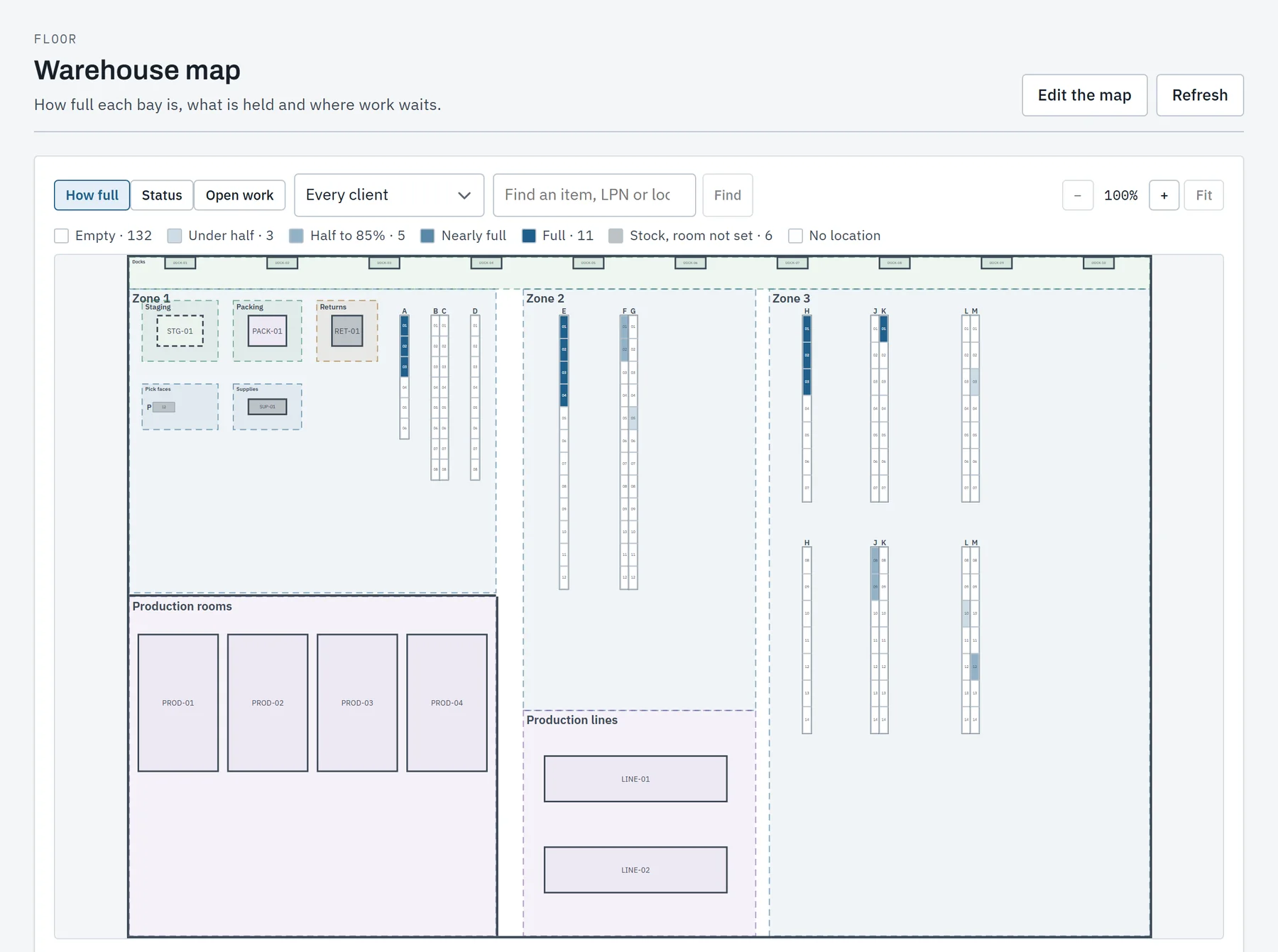
- Warehouse mapRacks, docks and areas drawn once and linked by location code, read live in the office and on the handheld.
From order to truck, checked at every step.
Orders are promised stock as they arrive, released in waves, picked by scan, verified at the pack station and shipped with their paperwork.
- Orders from every sourceThe office, the portal, a spreadsheet, the API or a store. A bundle is entered as its items and shipped whole.
- AllocationA promise covers the order line and specific stock is chosen by the client's rules. A backorder is covered when stock arrives.
- WavesReleased by hand, or by a schedule at a daily cutoff on the warehouse's clock.
- PickingPick lists on the handheld, into totes or by the whole pallet. A short pick raises an urgent replenishment.
- Pack stationEvery unit scanned against the order, a carton suggested by size, and the packing slip printed in the client's name.
- Pallets and loadingPallets are built and loaded onto the truck by scan. Departing the dock window ships its load.
- Shipping paperworkThe VICS bill of lading for freight, and an end-of-day manifest per carrier account.
- Shipping rulesPer client: the carrier and service by method, order type, destination and weight.
- Carrier accountsOn the client's own account the carrier bills them. On the warehouse's, postage is billed on.
- Changes and cancelsLines and the ship-to change until release. An order is cancelled until it ships, with its stock put back.
- Carrier labelsIn testingRates and labels through ShipEngine and EasyPost. Today a label from the carrier's portal is scanned onto its box.
- GS1 shipping labelsRoadmapSSCCs are assigned to pallets per client today. The GS1-128 label that prints them is next.
Kitting and production on the same floor.
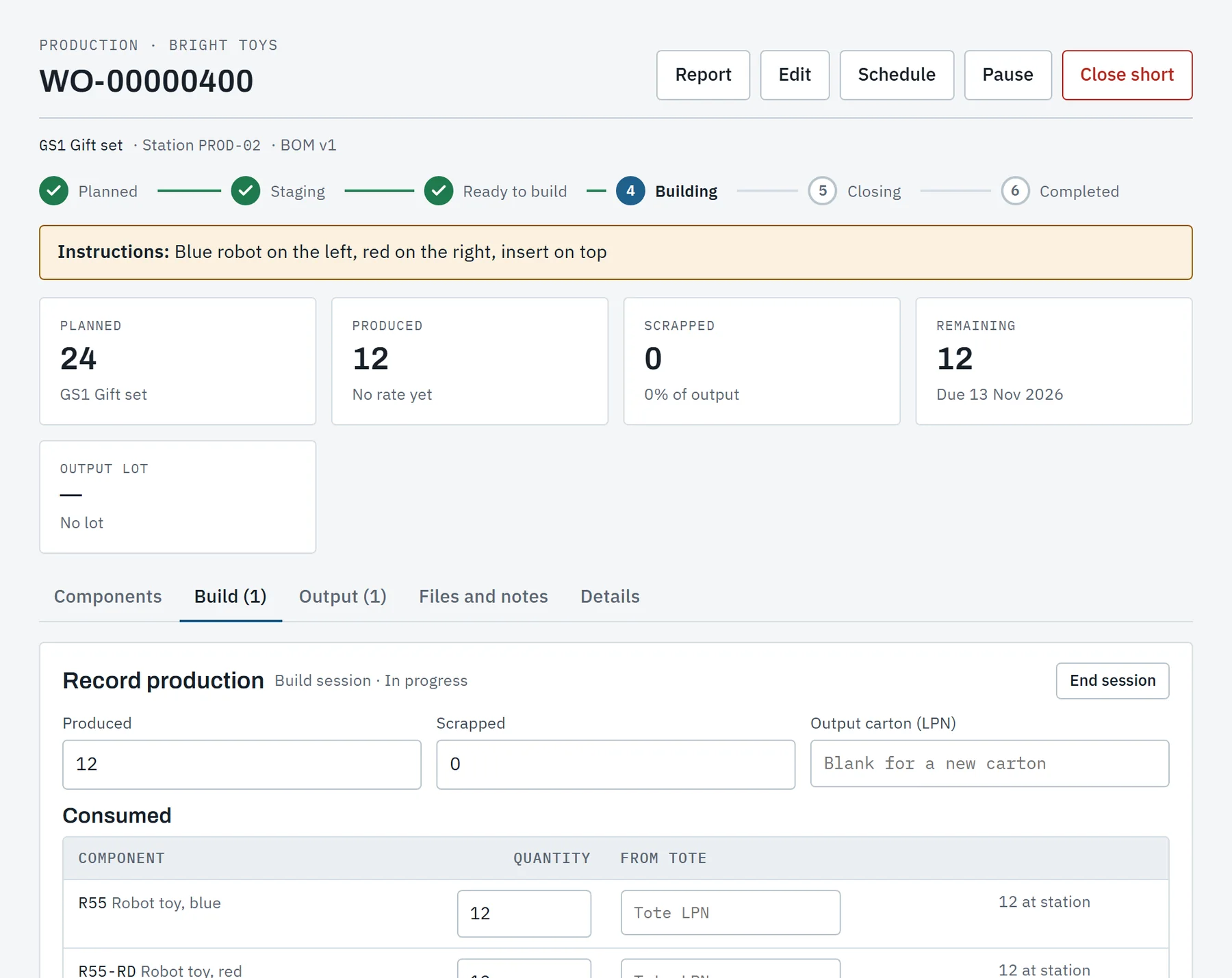
A kit assembled from finished goods and a product made from materials run through the same work order, with their components accounted for.
- Bills of materialsVersions that go from draft to in use, with scrap allowances, substitutes and, where a client asks, their approval.
- Production ordersWhat a client wants built, asked for in the portal or entered by the office, and planned in one or more runs.
- Work ordersRelease reserves the components and raises the moves that stage them at the station.
- Material availabilityBefore release: what each component needs, what is free and the most that can be built now.
- Building on the handheldComponents scanned or back-flushed, output into cartons by LPN, with or without signal.
- Production scheduleWork orders by station and day, with shifts per warehouse and a total per shift.
- Output lotsBy the client's own lot rule or template, with expiry from the components or the item's shelf life.
- Lot traceWhat an output lot was made from, and everything a component lot went into.
- ServicesA catalogue of value-added services, billed by their own basis when the work order completes.
- LeftoversWhat was staged equals what was used, scrapped, returned and written off. Nothing stays at the line unseen.
Returns that end in a decision.
A return is authorized against what shipped, received into quarantine, graded with photos and dealt with by the client's own rules.
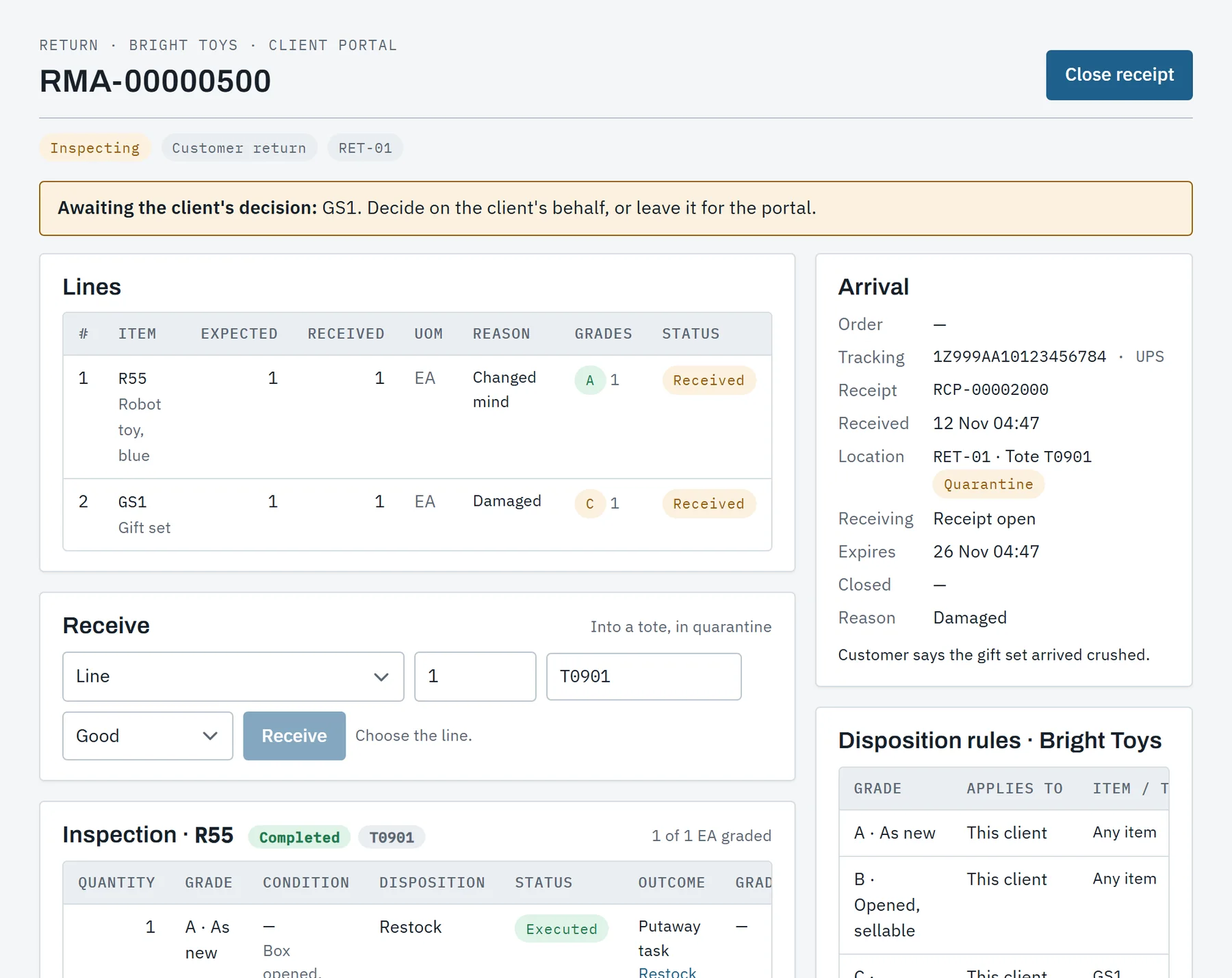
- Return authorizationsFrom the office, the portal, the API or a store, held to what the order shipped and to the client's return window.
- At the doorOne search by RMA, tracking number, order or customer name. A parcel nobody announced is received too.
- Receiving on the handheldEach unit scanned into a tote in quarantine, with the lot and serial number it shipped as.
- Grading at the benchA grade, a condition and photos for each unit, queued on the handheld when there is no signal.
- Disposition rulesPer client and grade: restock, restock on hold, refurbish, scrap or return to the client.
- Client decisionsGrades the rules leave to the client wait in their portal, with the photos.
- Ship-backUnits going back to the client leave on an order of their own, made when they ship.
- ReportsA returns report by reason and condition, and a certificate of destruction for what was scrapped.
The invoice builds itself as the work is done.
Modules report counts and facts, never prices. Each event is priced from the client's rate card as it arrives, so month end is a review.
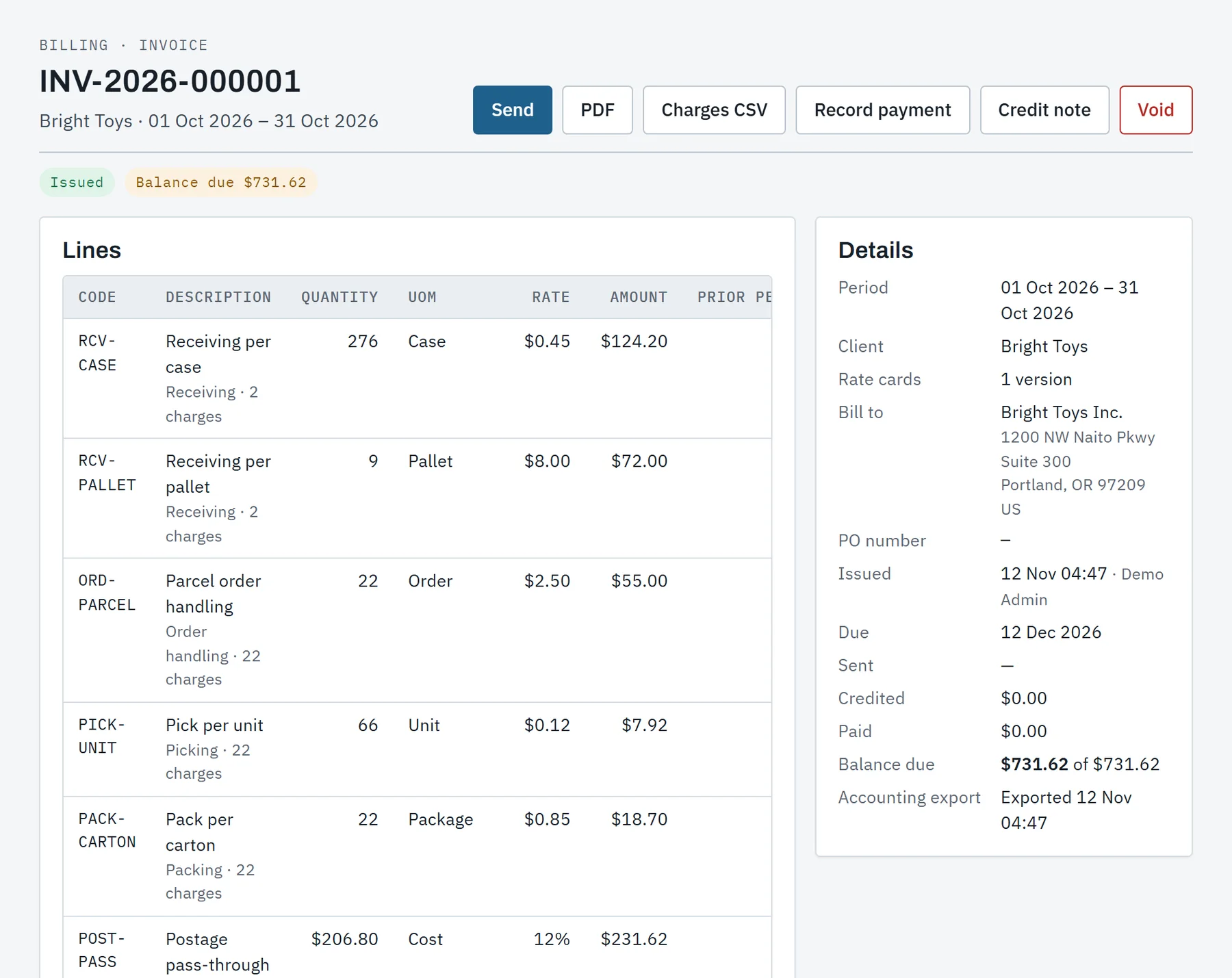
- Rate cardsVersions with conditions, graduated or all-units tiers, cycle minimums, fixed fees and cost plus a percentage.
- StorageMeasured every night by client, zone and status: per pallet day, per cubic foot or per location.
- Rated as it happensReceiving, putaway, orders, picks, packs, postage, dock time, counts, returns, services and materials.
- Billing runEvery client's period at month end: ready, blocked and why, drafted or invoiced, closed and issued together.
- InvoicesNumbered without gaps, as a PDF and a CSV, with the remit-to and payment instructions of the day they were issued.
- Credit notesA correction after issue is a credit note against the invoice, line by line, with its tax.
- Manual entriesCharges entered by hand are priced by the card, and a second person approves above the contract's threshold.
- TaxThe contract's rate on the categories it lists, carried on every line.
- Accounting exportA batch per date range in QuickBooks Online, Xero or generic layout, with a record of what has gone.
- Direct accounting syncRoadmapInvoices posted to QuickBooks Online and Xero without a file in between.
The floor app, built for scanners and dead spots.
One task per screen, large targets and a scan at each step. Work handed to a device carries what the device needs to check a scan by itself.


- Work without signalA write that cannot be sent is kept on the device and sent later, oldest first, as the worker who made it.
- Scans checked on the deviceA pick list, an ASN and a count carry their items' barcodes, so the scan is matched where it is made.
- Never counted twiceEvery floor write carries a key made when the step began. Sent twice, it happens once.
- Refusals go to a personWhat the server refuses is held on the device with the reason, for a supervisor, and never retried blindly.
- JobsReceive, put away, pick, count, replenish, move, grade returns, pack pallets, load the truck and build.
- ToolsMove a pallet or some units, hold stock, ask for an adjustment, look up an LPN, a location or an item.
- Sign-in for a shiftThe enrolled device is the first factor. A badge or username and a PIN is the second.
- Show on mapPutaway, pick, count and move tasks show where to go on a copy of the map kept on the device.
- Android scannersAn Android app for handheld scanners. The same screens run in a browser for preview and training.
- Belt printersIn testingA pallet's label printed on a Zebra belt printer over Bluetooth.
Set up by the warehouse, and learned by doing.
A warehouse lays out its own building, loads its own data and trains its own people, with a record of who changed what.
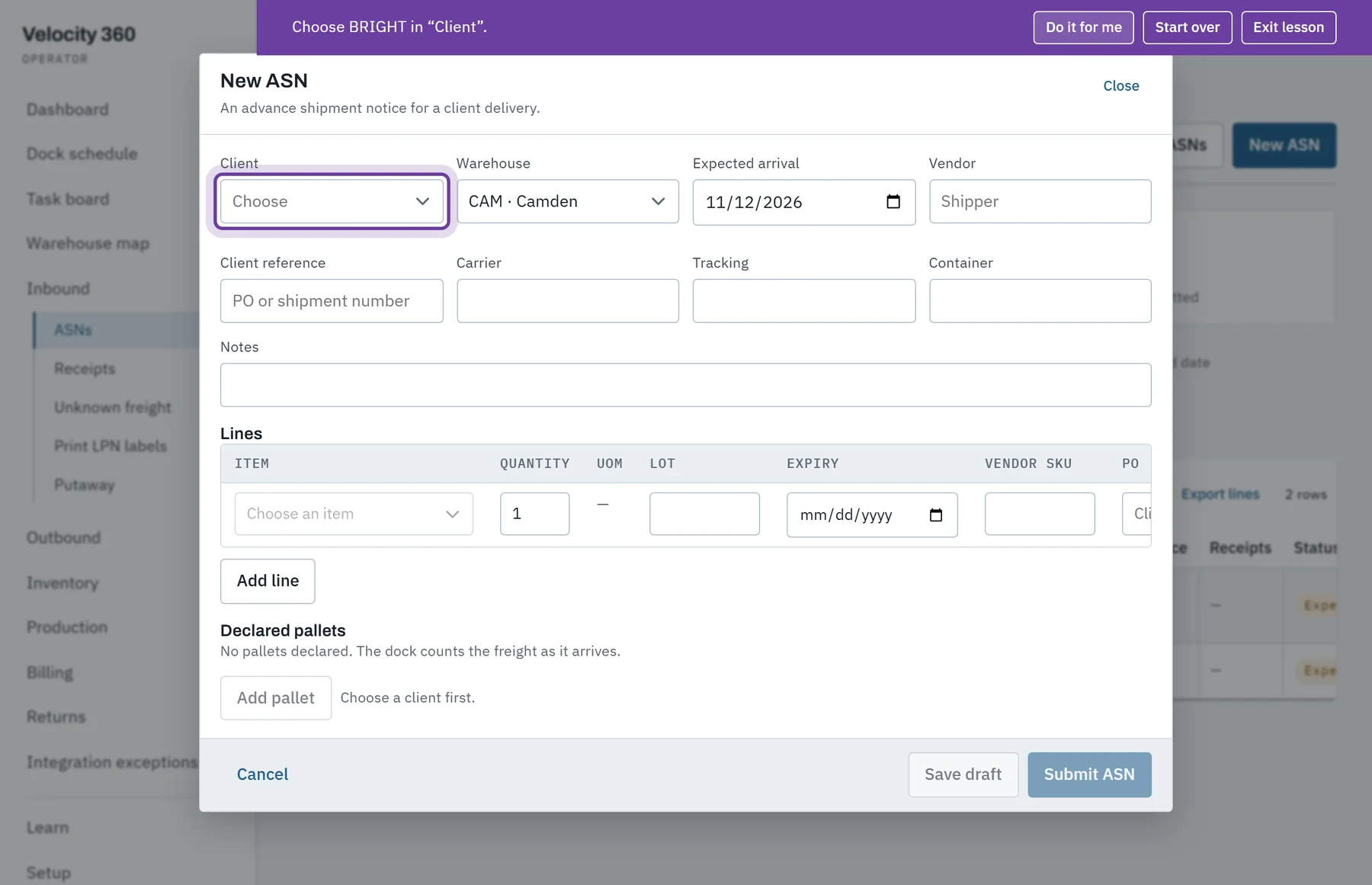
- Get startedA short list of steps to go live, each worked out from real data, with a go-live check at the end.
- Training companyA copy of the company where staff practise. Nothing it does leaves the platform.
- Guided lessonsMore than 50 lessons for the office, the portal and a practice handheld. The person does each step and the lesson follows.
- LocationsLaid out from a pattern of aisles, bays and levels or from a spreadsheet, with location labels by zone.
- Items and opening stockA client's catalogue and the stock already on the shelves, loaded from files and checked whole first.
- RolesSix built-in roles, read on every request, and a person can be kept to their own warehouses.
- Sign-inSingle sign-on by OpenID Connect for the office and the portal. Badge and PIN on the floor.
- Audit logWho changed configuration or access, what it was before and after. Secrets are never written to it.
- Several warehousesOne company runs several buildings, each on its own clock, with transfers between them.
- Units and reasonsMetric or imperial per company, and the company's own reason codes for holds, adjustments and counts.
- Scheduled jobsNightly work is listed with its outcome, and a failed run is reported to the administrators.
- Printing to Zebra printersIn testingLabels as ZPL to a warehouse printer through a print agent. Every label prints as a PDF today.
See it run a warehouse day.
A walk through the demo warehouse, from the dock schedule to the invoice, then your questions. We will say plainly what fits your operation today and what does not yet.
Tell us what you store and ship, how many clients you serve and what you run today.